
Conversational Messaging
The Conversational Messaging APIs enable businesses to engage customers in real-time two-way communication directly within Arattai. By connecting your sales, support, or CRM systems, you can build ongoing conversations handled by human agents, automated bots, or a hybrid of both - reducing response times and delivering personalized experiences at scale.
Common use cases include:
- Instant customer support handled by agents or automated assistants
- Personalized order or booking discussions with human oversight
- Lead qualification and onboarding workflows driven by bots or hybrid flows
Toggle User Responses
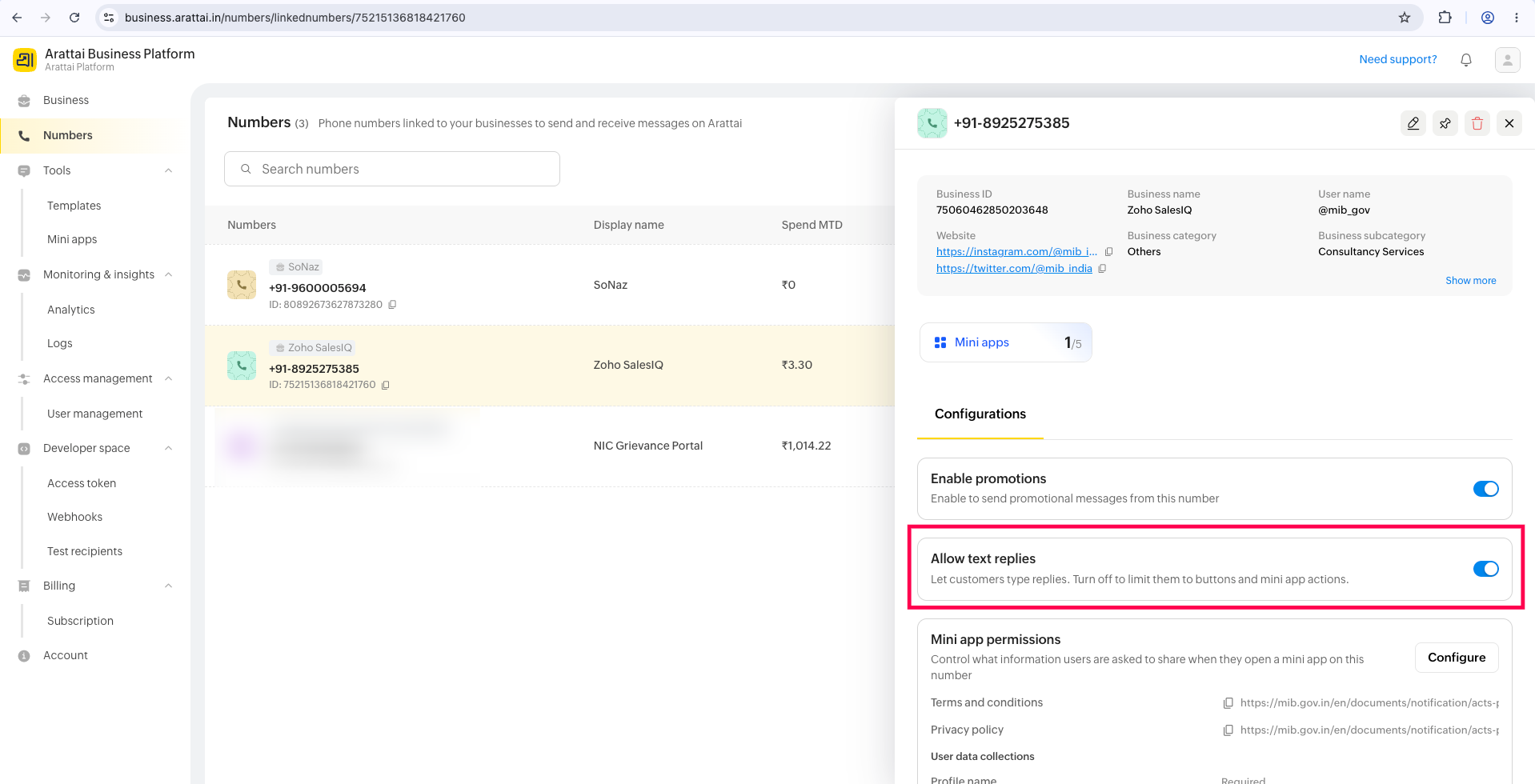
Control whether customers can reply to your business messages using the toggle setting.
- Two-way mode (toggle ON): Customers can send messages and interact with your system normally, enabling full conversational flows.
- One-way mode (toggle OFF): Customers cannot reply or react to messages. They can only engage through pre-configured quick reply options or mini-app interactions - useful for automated reminders or outbound notifications.
To configure this, go to Arattai Business Platform → Numbers → select a number → Configurations → Allow text replies toggle.
Service Window
When a customer initiates a conversation, a 48-hour service window is automatically opened. Within this window, your business can freely send and receive messages using the Conversational Message API at no additional cost, without requiring pre-approved message templates. This supports real-time, contextual responses from agents, bots, and integrated systems.
Message Layout Types
The Conversational APIs support two categories of structured message layouts:
- Display Messages - Used to present information clearly to the customer.
- Input Messages - Designed to collect structured responses from the customer.
These layouts can be combined to construct guided conversation flows within the chat.